
Batch Record Layouts Overview
Configure which Electronic Batch Record sections appear, in what order, and with what visibility — per approved master formula at /batch-templates.
Batch Record Layouts define the structure of your Electronic Batch Record (EBR) for each master formula: which sections appear in the PDF, their order, and whether each section is required or hidden. Layouts are managed at Batch Record Layouts (/batch-templates) — separate from production shortcuts and PDF chrome templates.
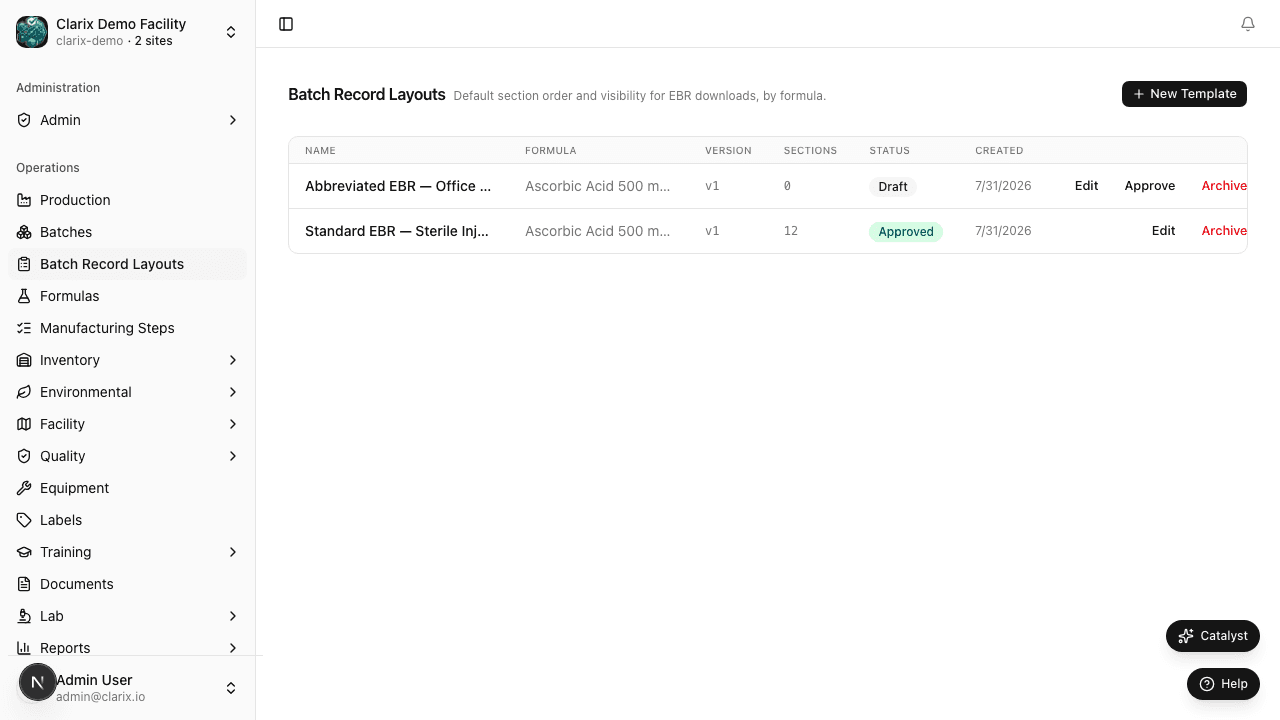
What a Batch Record Layout controls
A layout does not store batch data, manufacturing steps, or formula content. It configures the section scaffold used when Clarix renders the MBR/EBR PDF and the batch detail layout panel:
- Cover page, personnel roster, BOM, manufacturing steps, IPC, EM samples, yield summary, and more
- Section visibility (show or hide optional blocks)
- Section order (drag to reorder)
- Required flags for compliance-critical blocks
When you create a batch, Clarix snapshots the approved layout into that batch. Later edits to the layout template do not retroactively change released or in-progress batches.
Three template types — do not confuse them
| Name | Location | Purpose |
|---|---|---|
| Production Batch Templates | Batches → Templates (/batches?tab=templates) | Pre-fill formula and batch size when starting a new run |
| Batch Record Layouts | /batch-templates | EBR section order and visibility per formula |
| EBR Document Templates | Settings → EBR Document Templates (/settings/ebr-templates) | PDF header, footer, and cover page styling |
Production batch templates speed up data entry. Batch Record Layouts control what sections appear in the batch record document. EBR Document Templates control how the PDF looks (logo, headers, merge fields).
Default sections
New layouts are seeded with Clarix's default EBR sections, including:
| Section | Required by default |
|---|---|
| Cover Page | Yes |
| Personnel & Qualifications | Yes |
| Bill of Materials | Yes |
| Manufacturing Steps | Yes |
| In-Process Controls | Yes |
| Filter Integrity Test | Yes |
| Visual Inspection | Yes |
| Yield Summary & Release | Yes |
| Environmental Monitoring, AQL, Lab Samples | Optional (visible, not required) |
You customize visibility and order in the section configurator on each layout's detail page.
Role requirements
| Action | Minimum role |
|---|---|
| View layouts | Viewer |
| Create or edit draft layout | PIC, QA Manager, or formula editor |
| Approve layout | PIC or QA Manager (facility PIN) |
| Archive layout | PIC or QA Manager |
Regulatory reference
21 CFR 211.188 — Batch production and control records must include complete information relating to the production and control of each batch. Batch Record Layouts ensure your EBR consistently presents all required sections for each product family.
Related pages
- Creating a Layout — Build and edit section configuration
- Approval and Archive — Approve layouts and per-batch snapshots
- Production Batch Templates — Recurring batch setup shortcuts
- EBR Document Templates — PDF header/footer customization
- MBR and Exports — Downloading batch record PDFs
EBR Document Templates
Customize the header, footer, and cover page of your Electronic Batch Record PDFs using the visual template editor.
Creating a Batch Record Layout
Create and edit Batch Record Layouts at /batch-templates — link a layout to a master formula and configure EBR section order and visibility.