
Manufacturing Steps Overview
Build and maintain a reusable Step Library at /manufacturing-steps — define steps once by shortLabel and insert them into master formulas.
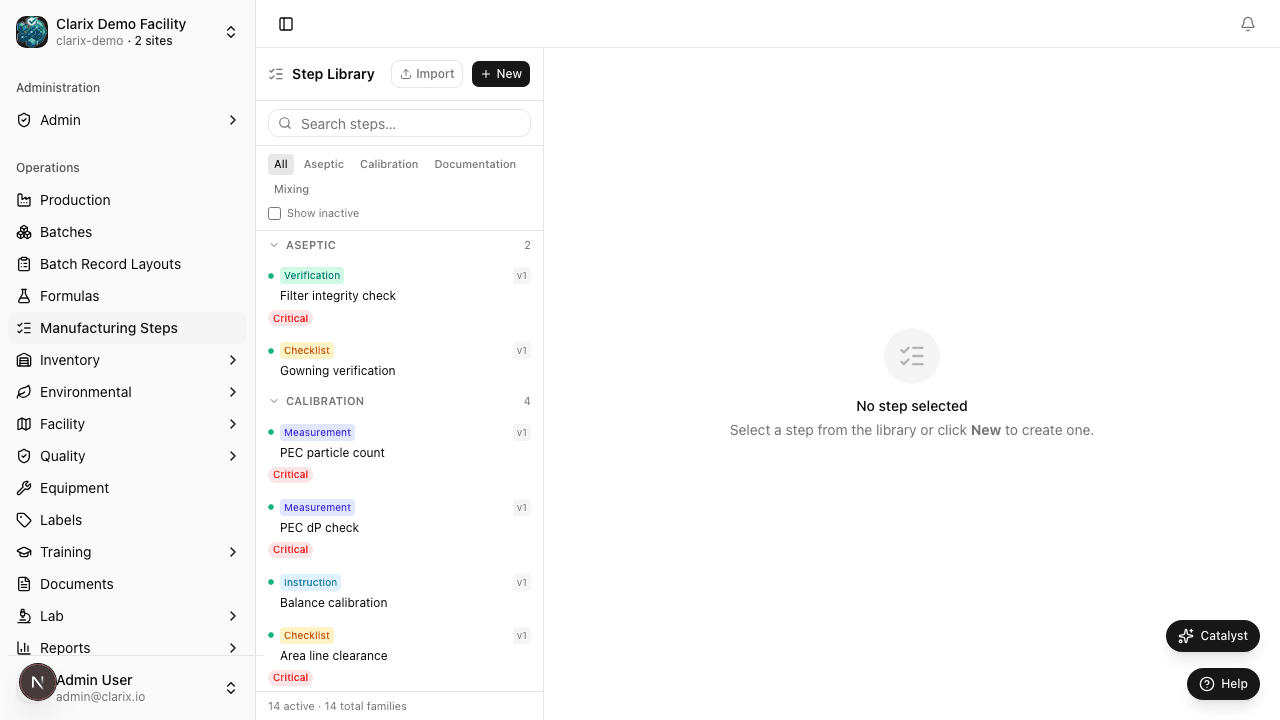
The Step Library (/manufacturing-steps) is your organization's catalog of reusable manufacturing step definitions. Instead of authoring the same calibration check or garbing procedure in every formula, you define a step once and reference it by shortLabel when building master formulas.
Why a Step Library?
503B facilities repeat the same operational steps across many products: balance calibration, ISO 5 garbing, filter integrity, environmental monitoring, and visual inspection. The Step Library:
- Stores rich HTML instructions (bold, lists, warnings) compatible with the formula builder
- Captures step-type-specific configuration (checklists, measurement limits, signatures)
- Links resources (equipment, documents, inventory items, rooms) by code
- Enables JSONL bulk import for large product onboarding projects
shortLabel — the linking key
Every library step has a unique shortLabel (max 100 characters). This identifier:
- Appears in the Step Library catalog and search
- Is referenced in procedure.jsonl during master formula bundle import
- Is used when inserting steps from the library into a formula's phases
Choose a consistent prefix per product family (e.g., VITC- for Ascorbic Acid) to avoid collisions across your catalog.
Step types
The library supports the full Clarix step type catalog, including Instruction, Measurement, Checklist, Calculation, Signature, Verification, Barcode Scan, Photo Capture, and more. Each type stores operator instructions plus type-specific properties (tolerances, checklist items, signatory roles).
Reuse in formulas
After a step exists in the library, add it to a formula in two ways:
- Formula builder — Open a formula's Builder tab, choose Insert from library, and search by shortLabel or category.
- Bundle import — Include the step's shortLabel in
procedure.jsonlwhen importing a master formula bundle (see Master Formula Bundle).
Steps copied into a formula become formula-specific instances. Editing the library step does not automatically change steps already placed in approved formulas — plan version control through formula revision workflows.
Role requirements
| Action | Minimum role |
|---|---|
| View Step Library | Viewer |
| Create or edit steps | Formula editor (PIC, QA Manager, or equivalent) |
| Import JSONL | Formula editor |
| Delete or retire steps | PIC or QA Manager |
Regulatory reference
21 CFR 211.100 — Written procedures must be established and followed. The Step Library centralizes validated manufacturing instructions so approved master formulas reference consistent, controlled procedure content.
Related pages
- JSONL Import — Bulk-load steps from JSONL
- Step Authoring — Build steps directly in a formula
- Master Formula Bundle — Four-file formula import including procedure.jsonl
Master Formula Bundle Import
Import a complete master formula in one transaction at /formulas/import — formula.csv, bom.csv, admix-supplies.csv, and procedure.jsonl.
Manufacturing Steps JSONL Import
Bulk-import reusable manufacturing steps at /manufacturing-steps/import using JSON Lines — one complete step object per line.