
Manufacturing Steps JSONL Import
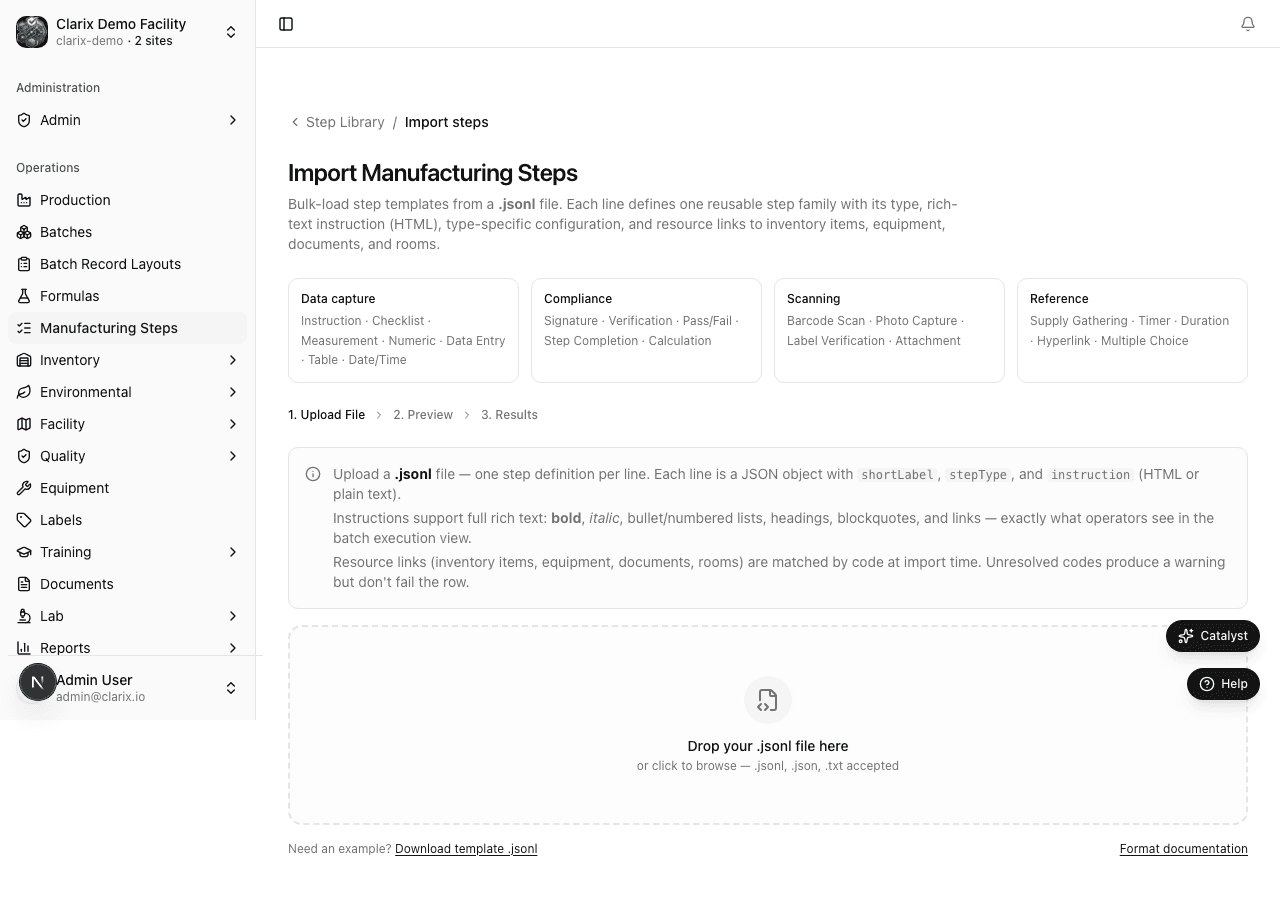
Bulk-import reusable manufacturing steps at /manufacturing-steps/import using JSON Lines — one complete step object per line.
Use JSONL import (/manufacturing-steps/import) when you need to load dozens of step definitions at once — for example, onboarding a complex sterile product like Ascorbic Acid 500 mg/mL (VITC). JSONL handles multi-paragraph HTML instructions and nested step configuration that CSV cannot represent reliably.
When to use JSONL vs. the UI
| Approach | Best for |
|---|---|
| Step Library UI | Adding or editing individual steps |
| JSONL import | Initial library seeding, product migrations, git-versioned step catalogs |
Import the Step Library before importing a master formula bundle — procedure.jsonl references steps by shortLabel.
Import workflow
- Go to Manufacturing Steps in the sidebar.
- Click Import (or open
/manufacturing-steps/import). - Prepare a
.jsonlfile — one JSON object per line, no wrapping array. - Click Upload and select your file.
- Review the preview: each line shows
shortLabel, step type, and any validation errors. - Click Confirm import to create steps in the library.
Empty lines and lines starting with // are ignored as comments.
File format
Each line is a standalone JSON object:
{"shortLabel":"VITC-LIGHT-SENSITIVE","stepType":"instruction","category":"documentation","criticalStep":true,"instruction":"<p><strong>LIGHT-SENSITIVE PRODUCT.</strong> Turn off overhead lights in the admix room.</p>","resources":[]}Required fields
| Field | Description |
|---|---|
shortLabel | Unique identifier (max 100 chars). Use a product prefix like VITC-. |
stepType | Clarix step type key (e.g., instruction, measurement, checklist, signature) |
instruction | Operator-facing text. HTML tags (<p>, <strong>, <ul>, etc.) are supported. |
Common optional fields
| Field | Description |
|---|---|
category | UI grouping: calibration, mixing, aseptic, qc, environmental, documentation, packaging |
criticalStep | true marks the step with a critical badge in execution |
helpText | Additional guidance (HTML) |
unit | Unit of measure for numeric/measurement steps |
properties | Type-specific config (checklist items, tolerances, signature roles) |
resources | Links to inventory, equipment, documents, or rooms by code |
Resource links
"resources": [
  {"type": "inventory_item", "code": "VITC-INV-001", "purpose": "Active ingredient", "required": true},
  {"type": "equipment", "code": "VITC-BAL-002", "purpose": "Large balance", "required": true},
  {"type": "document", "code": "PT-040", "purpose": "Calibration SOP", "required": false},
  {"type": "room", "code": "ISO5-FILL", "purpose": "ISO 5 fill environment", "required": true}
]
Unresolved codes produce a warning in the import log but do not fail the row — the step is still created.
Idempotent import behavior
- If a
shortLabelalready exists in your org, the row is skipped (not overwritten). - Add
"upsert": trueon a line to replace an existing step definition. - Each new step is created as version 1 at the family root, matching UI-created steps.
VITC reference file
The Ascorbic Acid demo dataset includes vitc-step-library.jsonl with 48 step families covering calibration, admix, aseptic fill, EM, visual inspection, and label reconciliation. Import this file before the VITC master formula bundle at /formulas/import.
Recommended prerequisite order for VITC-489:
- Rooms, equipment, inventory items, documents
vitc-step-library.jsonl→/manufacturing-steps/import- Master formula bundle (formula.csv, bom.csv, admix-supplies.csv, procedure.jsonl) →
/formulas/import
Role requirements
| Action | Minimum role |
|---|---|
| Import JSONL | Formula editor |
| View import results | Viewer |
Regulatory reference
21 CFR 211.186 — Master production records must include written procedures. Bulk JSONL import accelerates library setup while preserving structured, auditable step definitions referenced by approved master formulas.
Related pages
Manufacturing Steps Overview
Build and maintain a reusable Step Library at /manufacturing-steps — define steps once by shortLabel and insert them into master formulas.
Inventory Overview
How Clarix tracks pharmaceutical raw materials at the lot level — including FIFO management, expiry monitoring, COA storage, and quarantine controls.