
Cleaning Logs
Record and track room and equipment cleaning events to maintain a complete cleaning history for your sterile compounding facility.
Cleaning documentation is one of the foundational requirements of a sterile compounding quality system. USP 797 and 21 CFR Part 211.67 require that cleanrooms and equipment used in sterile preparation be cleaned and sanitized according to written procedures, and that cleaning records be maintained. Clarix provides a dedicated module for logging cleaning events for both rooms and individual equipment assets, keeping all records in one place and making them readily available for inspection.
Navigate to Equipment → Cleaning to open the cleaning log list.
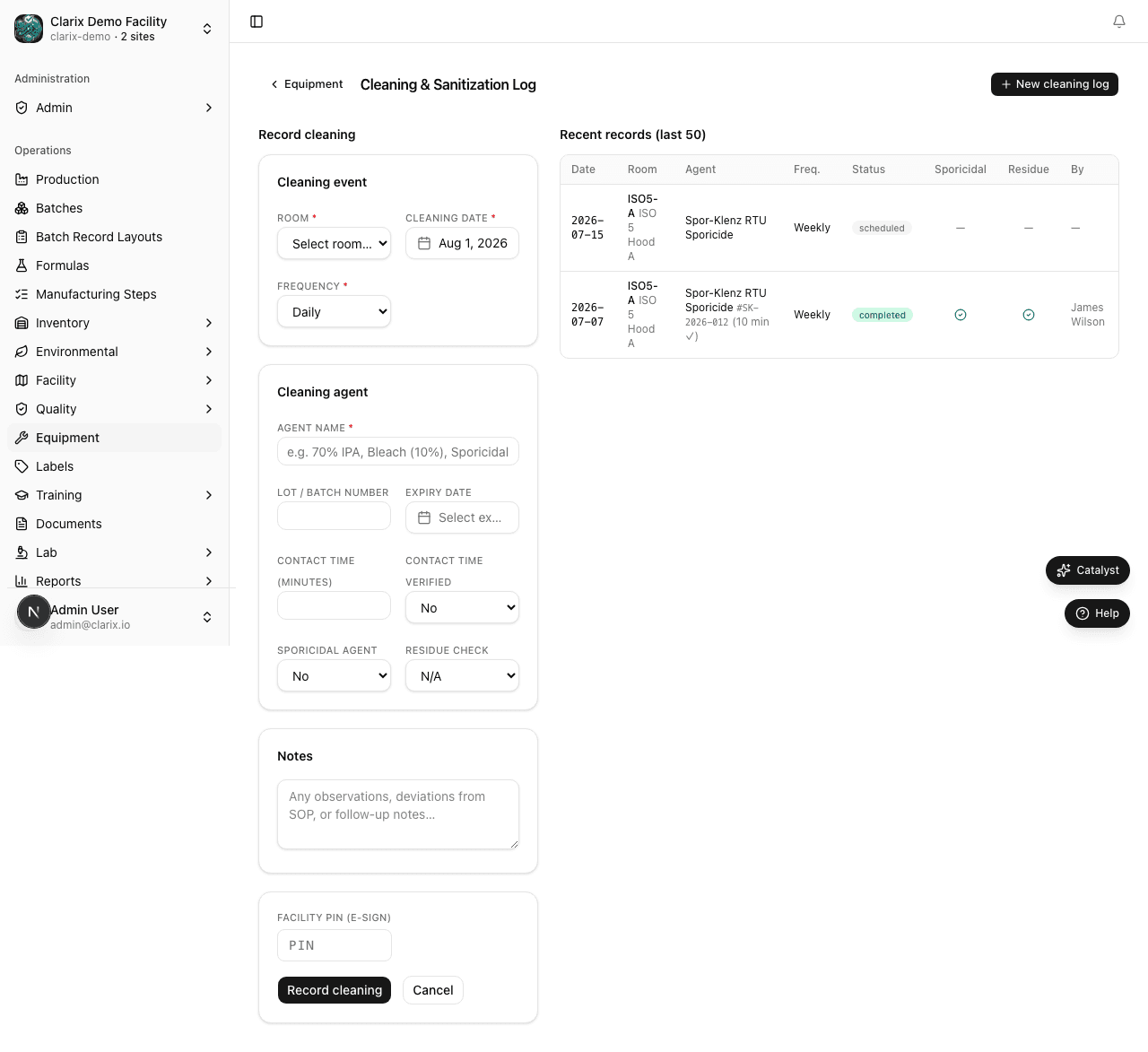
The cleaning log list
The cleaning log list displays all cleaning records in reverse chronological order (most recent first). Each row shows:
- Date/Time — when the cleaning was performed
- Room or Equipment — the target that was cleaned
- Cleaning Agent — the agent or solution used
- Technician — the staff member who performed and signed the cleaning
- Result — Pass (cleaning completed per SOP) or Fail (deviation from procedure noted)
Use the date range filter to narrow the list to a specific period. Use the Room/Equipment filter to view the cleaning history for a single area or asset.
Creating a new cleaning record
- Click New Cleaning Record in the top-right corner of the cleaning log page.
- Select the Target Type: either Room or Equipment.
- For a Room, select the room from the dropdown (e.g., ISO 5 Hood A, ISO 7 Anteroom, ISO 8 Gowning Room). Rooms are configured in the Facility module.
- For Equipment, select the specific asset from the asset dropdown (e.g., EQ-0015 — Biosafety Cabinet).
- Enter the Cleaning Date and Time — the date and time the cleaning was performed. This should be the actual time the cleaning occurred, not the time of data entry.
- Select the Cleaning Agent from the approved agents list. Your administrator configures the list of approved cleaning agents for your facility. Common agents in sterile compounding include:
- Isopropyl Alcohol (IPA) 70%
- Sporicidal agent (e.g., bleach 10%, Oxivir)
- Sterile water for final wipe-down
- Enter the Lot Number of the Cleaning Agent — tracking the specific lot of cleaning agent used is important for root cause analysis in the event of a contamination excursion. If the cleaning agent lot is not known, contact the person who prepared or sourced the solution.
- Enter the Technician Name or confirm that your logged-in user account is correct. The system pre-fills this field with your name.
- Enter your Facility PIN to sign the cleaning record electronically. The signature confirms that you performed the cleaning in accordance with the applicable SOP and that the information entered is accurate.
- Select the Result: Pass or Fail.
- Pass means the cleaning was completed according to procedure with no deviations.
- Fail means a deviation occurred during cleaning (e.g., wrong agent used, time limits not met, unexpected contamination observed). A failed result should be accompanied by a note and may trigger a deviation report.
- Add any Notes relevant to the cleaning event — for example, observations about surface condition, any damage noticed, or explanation of a Fail result.
- Click Save Record to finalize the log entry.
Cleaning frequency requirements
USP 797 specifies minimum cleaning frequencies for different ISO classification areas:
| Area | Minimum Frequency |
|---|---|
| ISO 5 (Primary Engineering Control) | Before each compounding session; end of each shift |
| ISO 7 (Buffer Room) | Daily; complete disinfection at least monthly |
| ISO 8 (Anteroom) | Daily |
| General support areas | Weekly or per SOP |
Your facility SOPs may require more frequent cleaning than these minimums. Clarix cleaning logs should reflect actual practice per your SOPs, not just the USP minimums.
Why cleaning records matter for sterile compounding
Environmental contamination is one of the most common root causes of sterility failures in compounding pharmacies. When an environmental monitoring excursion occurs — for example, a positive culture from an ISO 5 surface — investigators will immediately request the cleaning records for that area in the days and weeks preceding the excursion. A complete, timely cleaning record provides evidence that contamination did not result from inadequate cleaning practices. Conversely, gaps in cleaning records — missing log entries, unsigned records, or records logged long after the fact — are significant compliance findings.
Beyond regulatory compliance, a disciplined cleaning log practice reinforces the habits that prevent contamination events from occurring in the first place.
Role required: Pharmacy Technicians and all production staff can create cleaning records. QA and Admin roles can view all logs and export records.
Related pages
Preventive Maintenance
Create PM schedules for your equipment assets and log maintenance completions to keep your facility running reliably.
Environmental Monitoring Overview
Track cleanroom air and surface quality across your ISO-classified areas with CFU trend charts, room status cards, and excursion alerts.