
Formulas Overview
Learn what Master Formula Records (MFRs) are, how they are structured, and how the approval lifecycle works in Clarix.
A Master Formula Record (MFR) is the reusable, versioned recipe for a compounded product. Every batch manufactured in Clarix is linked to an approved MFR, ensuring that the exact same process, materials, and controls are applied every time that product is made. In 503B sterile compounding, the MFR is the foundational quality document — it defines what goes into a product, how it is made, and what limits must be met before it leaves the facility.
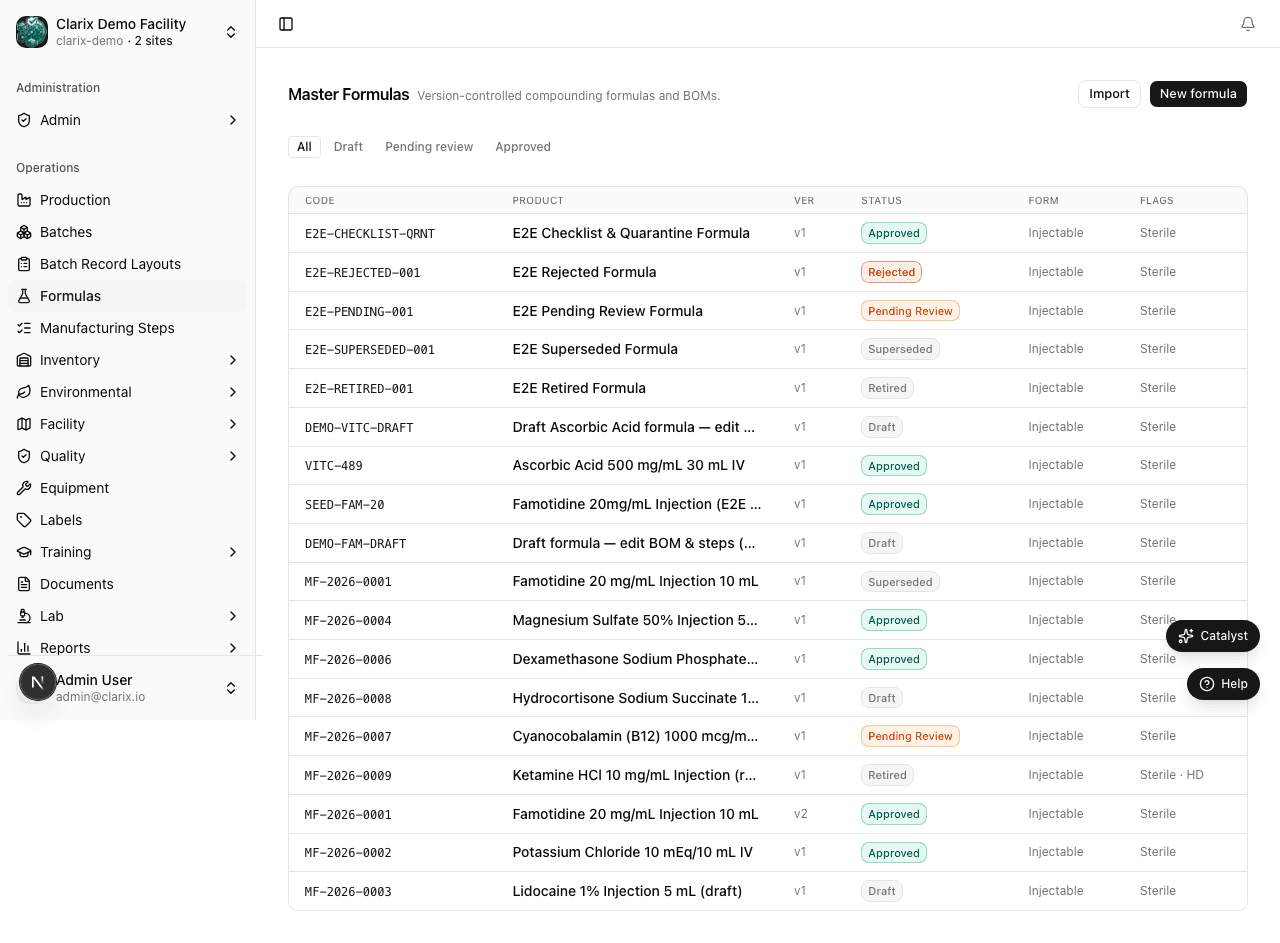
What a formula contains
Each MFR in Clarix captures the complete recipe and release criteria for a compound:
| Section | Description |
|---|---|
| Product identity | Name, product code, strength, dosage form (e.g., injectable solution) |
| Batch size | The total quantity to be produced in a single run, with unit (e.g., 240 vials for VITC-489) |
| Bill of Materials (BOM) | Every ingredient, its target quantity, acceptable range, and unit |
| Numbered steps | The exact manufacturing procedure, including measurements, verifications, timers, and signatures |
| Beyond-Use Date (BUD) | Number of days (or hours) the finished product is stable after compounding |
| Storage conditions | Temperature and light requirements: refrigerate, room temperature, freeze, or protect from light |
| Risk level | Low, medium, or high — aligns with USP ⟨797⟩ categories and drives environmental monitoring requirements |
| Special instructions | Operator notes, hazard warnings, handling requirements |
Formula numbering
Formula numbers are generated automatically. The format is MF-YYYY-NNNN, where YYYY is the year the formula was created and NNNN is a sequential counter. For example, the first formula created in 2026 receives the number MF-2026-0001. You cannot manually assign formula numbers.
Status lifecycle
An MFR moves through a defined approval lifecycle before it can be used in production:
- Draft — The formula has been created and is being edited. It cannot be used to start batches. All fields, BOM lines, and steps can be freely modified.
- Pending Review — The author has submitted the formula for pharmacist or QA review. The formula is locked from editing until approved or rejected.
- Approved — A PIC or QA Manager has reviewed and approved the formula. Batches can now be created from this formula. The formula is read-only; to make changes, a new version must be created.
Role required: Any authenticated user can create a formula draft. Submitting for review requires the Compounder role or higher. Approving or rejecting a formula requires the PIC or QA Manager role.
Why only approved formulas create batches
This restriction is a core GMP control. An unapproved formula has not been reviewed for accuracy, safety, or compliance. Requiring approval before batch creation ensures that:
- Every batch follows a verified procedure
- No experimental or incomplete recipes are accidentally put into production
- There is an auditable record of who approved the formula, and when
If you attempt to create a batch from a Draft or Pending Review formula, Clarix will display an error and prevent the action.
The formula catalog
The Formulas page (accessible from the sidebar) shows all formulas your organization has created. You can filter by:
- Status — Draft, Pending Review, Approved
- Dosage form — injectable, oral, topical, etc.
- Search — formula name or product code
Each row shows the formula name, number, current status, batch size, and the date it was last modified. Click any row to open the formula detail page.
Formula detail tabs
When you open a formula, the detail page is organized into tabs:
- Overview — product identity, BUD, storage conditions, risk level, and special instructions
- Bill of Materials — ingredients list with quantities and acceptable ranges
- Steps — the numbered manufacturing procedure
- Version history — all versions of this formula, with approval records