
Lab Overview
Manage QC sample submissions, track test results, and link laboratory findings to batch records and quality investigations.
The Lab module in Clarix is the quality control sample management hub for your 503B facility. It provides a centralized register of every QC sample submitted for testing — from identity and potency testing on finished compounded sterile preparations (CSPs) to sterility and endotoxin testing, stability samples, and environmental monitoring samples. By linking each sample to a specific batch record, personnel record, or environmental monitoring event, Clarix creates an end-to-end chain of custody from sample collection through final result, making it straightforward to demonstrate that finished product testing was completed before any CSP was released to patients.
Navigate to Lab in the left sidebar to open the Lab Hub.
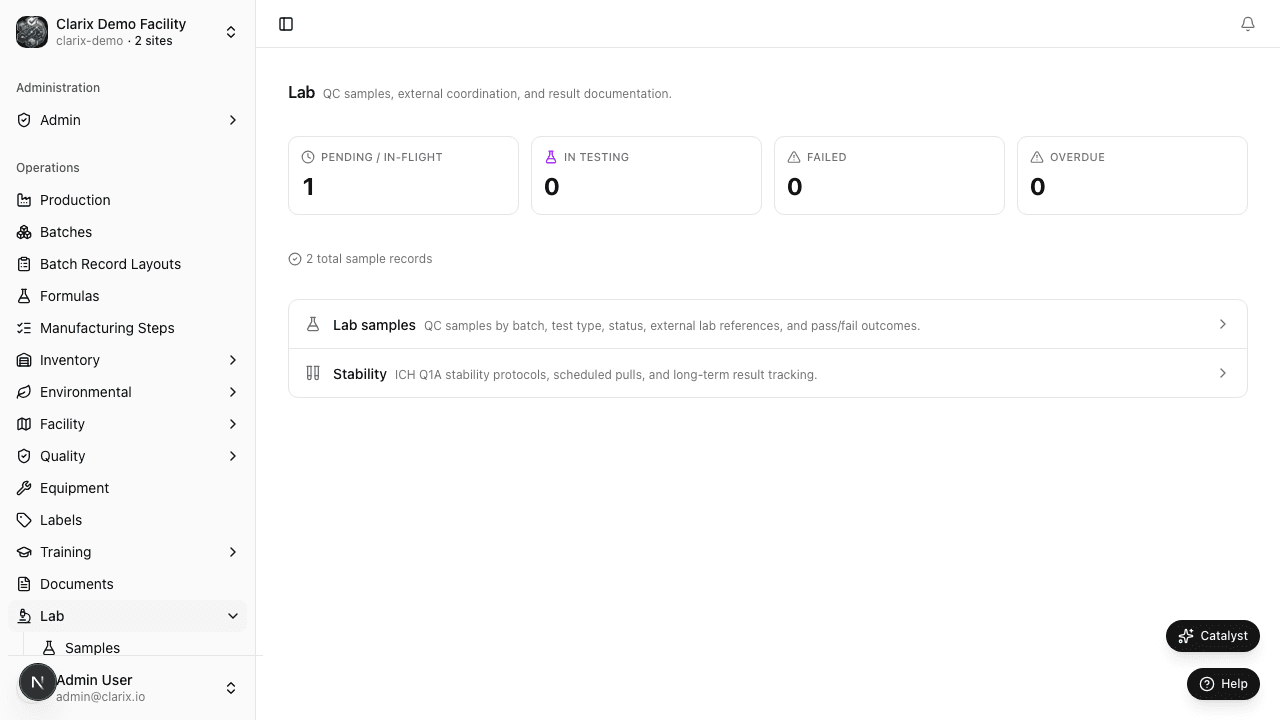
Lab hub overview
The Lab Hub landing page provides a summary of the current state of your QC sample program:
- Pending Results — the count of samples that have been submitted but whose results have not yet been entered. These are samples actively in testing at your internal lab or an external contract laboratory. A high pending count warrants a check that samples are progressing through testing within expected timeframes.
- Samples Due for Results Today — samples whose expected result date is today or past due. These should be followed up with the testing lab if results have not yet been received.
- Recent Results — the most recent sample results entered, showing sample ID, batch, type, and final status (Pass / Fail / OOS).
- Open OOS Investigations — the count of out-of-specification results that are currently under investigation. OOS results require a structured investigation per 21 CFR 211.192 and may impact product release decisions.
Click any summary widget to navigate to the filtered sample list.
Connection to batch records
One of the most important features of the Lab module is its direct connection to batch records. When you log a QC sample from a batch, the sample is linked to that batch's record. From the batch detail page, you can see all associated QC samples and their current status. Conversely, from the lab sample record, you can navigate directly to the linked batch. This linkage ensures that batch release decisions are informed by actual test results and that any batch with a pending or failed test can be held in quarantine until the result is available.
To log a QC sample from a batch, open the batch detail page and click Log Lab Sample in the batch actions menu. The new sample form pre-fills the batch number and product name.
Why lab records matter
Under 21 CFR Part 211.165 (testing and release), each lot of a drug product must be tested to determine if it meets established specifications before release. For sterile preparations, this typically includes at a minimum: appearance, identity, potency (by analytical testing), sterility (either by direct testing or parametric release with validated sterilization process), and endotoxin. For 503B outsourcing facilities, compliance with finished product testing requirements is a core FDA inspection focus.
Clarix's lab records provide the documented evidence that testing was ordered, performed, and that results were evaluated before any release decision was made. For samples tested by an external contract laboratory, the system stores the date the sample was sent, the expected return date, and the received result — creating a complete record even for outsourced testing.
Role required: All QA and lab staff can view the lab hub and sample list. Entering sample results requires the Lab Technician, QA, or Admin role. Managing OOS investigations requires QA Manager or Admin.
Related pages
Personnel Training Matrix
View the color-coded training matrix showing every staff member's qualification status across all training plans — the view inspectors ask for first.
QC Samples
Create and track quality control sample submissions from collection through testing, result entry, and OOS investigation.