
Biannual Product Report
Generate and review semiannual product activity reports required under FDCA §503B(b)(4), covering products compounded, adverse events, and reporting compliance for each H1/H2 period.
The Biannual Product Report satisfies the statutory semiannual reporting requirement under FDCA §503B(b)(4), which obligates every registered 503B outsourcing facility to submit a report to FDA twice per year identifying the drugs they have compounded. Clarix aggregates your compounding activity, adverse event data, and adverse event reporting compliance into a structured report for each H1 (January–June) or H2 (July–December) period. When the report is ready, you can export it in the format required for FDA submission.
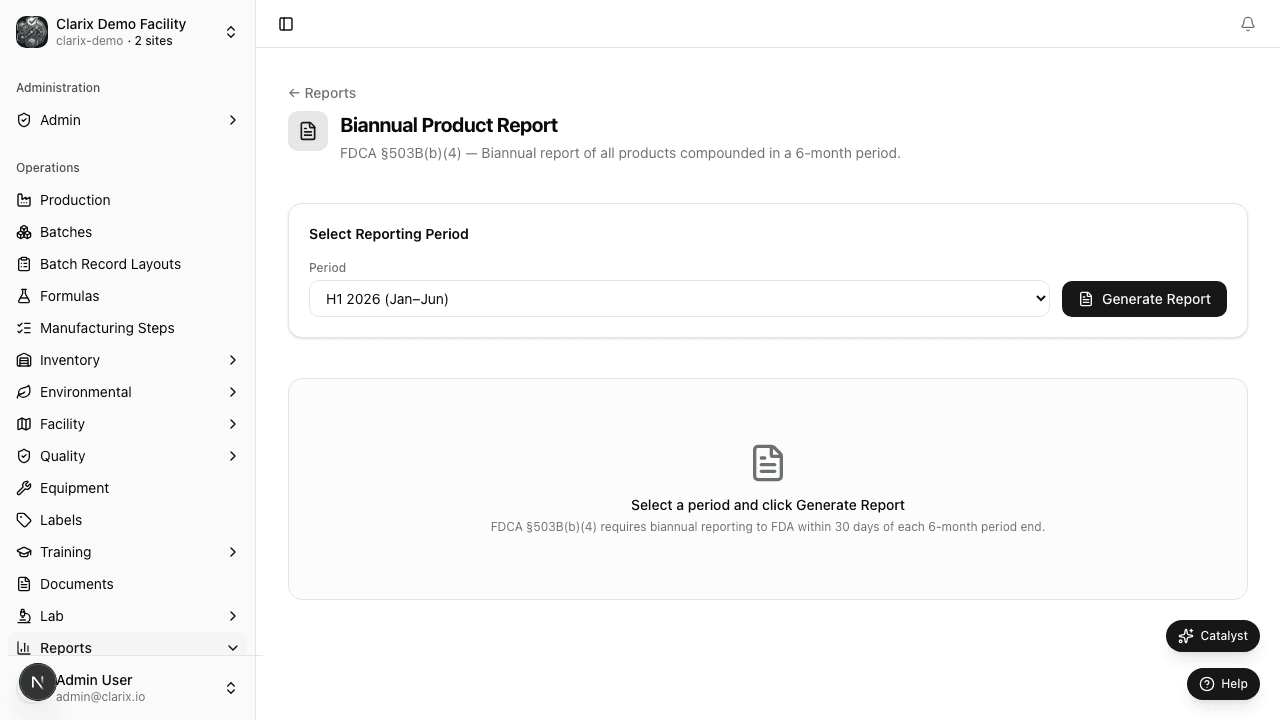
Navigate to Reports → Biannual Report to access the report.
Role required: Viewing the biannual report requires QA Officer or higher. Generating, certifying, and exporting the report for FDA submission requires PIC or Admin.
Regulatory basis
| Requirement | Source |
|---|---|
| Semiannual FDA reporting of compounded drugs | FDCA §503B(b)(4) |
| Adverse event reporting in same manner as manufacturers | FDCA §503B(b)(5) |
| 15-day expedited reporting for serious adverse events | 21 CFR 314.81(b)(1) |
| FDA Guidance on Drug Compounding Outsourcing Facilities (2023) | Reporting format and submission expectations |
Under §503B(b)(4), the report must include, at a minimum:
- The name and address of the outsourcing facility
- Each drug product compounded during the reporting period (by active ingredient, strength, dosage form, route of administration)
- The quantity of each drug product compounded during the reporting period
- The National Drug Code (NDC) number, if assigned
Clarix populates all of these fields automatically from your batch records.
Selecting a reporting period
At the top of the report page, select the reporting period using the Period Selector:
| Period | Dates covered | FDA submission deadline |
|---|---|---|
| H1 (January–June) | January 1 – June 30 | December 31 of the same year |
| H2 (July–December) | July 1 – December 31 | June 30 of the following year |
Select the year and the half-year period. The report regenerates immediately to reflect the selected period.
Product summary table
The core of the biannual report is the Product Summary table. Each row represents one distinct compounded drug product (unique combination of active ingredient + strength + dosage form + route of administration) compounded during the reporting period.
| Column | Description |
|---|---|
| Product name | Nonproprietary name of the active pharmaceutical ingredient(s) |
| Strength | Concentration (e.g., 25 mg/mL, 0.5% w/v) |
| Dosage form | Solution, suspension, powder for reconstitution, etc. |
| Route of administration | IV, IM, SC, Intrathecal, Ophthalmic, etc. |
| NDC | National Drug Code if assigned; otherwise blank |
| Units compounded | Total number of units (vials, bags, syringes) compounded during the period |
| Batches | Number of batches contributing to this product entry |
| Total quantity | Total quantity in the reportable unit (mL, g, units) |
Products with zero batches in the selected period are excluded from the table automatically.
Adverse events section
Below the product summary, the report displays the Adverse Events Summary for the reporting period:
| Metric | Description |
|---|---|
| Total AE complaints received | Count of complaints with the Adverse Event toggle enabled, in the period |
| Serious AEs | Count of complaints classified as Critical severity with an adverse event designation |
| AEs reported to FDA (MedWatch) | Count of complaints with a recorded MedWatch submission |
| On-time reporting rate | Percentage of serious AEs submitted to FDA within the 15-day expedited reporting window |
| Late reports | Count of serious AEs where MedWatch submission occurred after day 15 |
A low on-time reporting rate (below 100%) is a significant compliance gap that FDA reviewers will flag. Clarix calculates the on-time rate automatically from the complaint creation date and MedWatch submission date recorded on each complaint record.
Important: The on-time rate reflects only the AEs recorded in Clarix. Ensure all complaints and adverse events are entered into Clarix as received — do not maintain a parallel log.
Generating and certifying the report
Before exporting for FDA submission:
- Review the product summary for completeness — confirm all active formulas with batches in the period appear in the table.
- Review the AE summary for accuracy — confirm all complaints and MedWatch submissions are recorded.
- Click Certify Report to apply the PIC's electronic signature.
- Enter your Facility PIN to sign.
- The report is locked — no further modifications are possible after certification.
Exporting
Click Export PDF to download the certified report as a formatted PDF. The PDF includes:
- Facility name, FDA registration number, and address (pulled from your organization settings)
- Reporting period
- Product summary table
- Adverse events summary
- PIC certification signature and date
Retain a copy of the exported PDF in your regulatory submission file. Submit to FDA via the Drug Registration and Listing System (DRLS) or as directed by FDA guidance current at the time of submission.
Archiving and history
All generated and certified biannual reports are retained in the Report Archive tab on the biannual report page. Each archived report shows:
- Period (e.g., "H1 2026")
- Certification date
- Certifying PIC identity
- Export date (if exported)
- Link to the archived PDF
FDA may request prior-period reports during an inspection. The archive provides immediate access to all historical reports from within Clarix.
Related pages
503B Control Tower
Real-time readiness scoring across all six FDA Compliance Program 7356.040 quality systems — your always-current inspection readiness dashboard for 503B outsourcing facilities.
503B Bulks List Monitor
Track your facility's bulk drug substances against the FDA §503B(a)(2)(A) bulks list — with live status badges, Federal Register citations, and sync updates as FDA amends the list.