
Inventory Intelligence
Analyse raw material consumption trends, cost patterns, and vendor performance to optimise procurement.
Inventory Intelligence Report
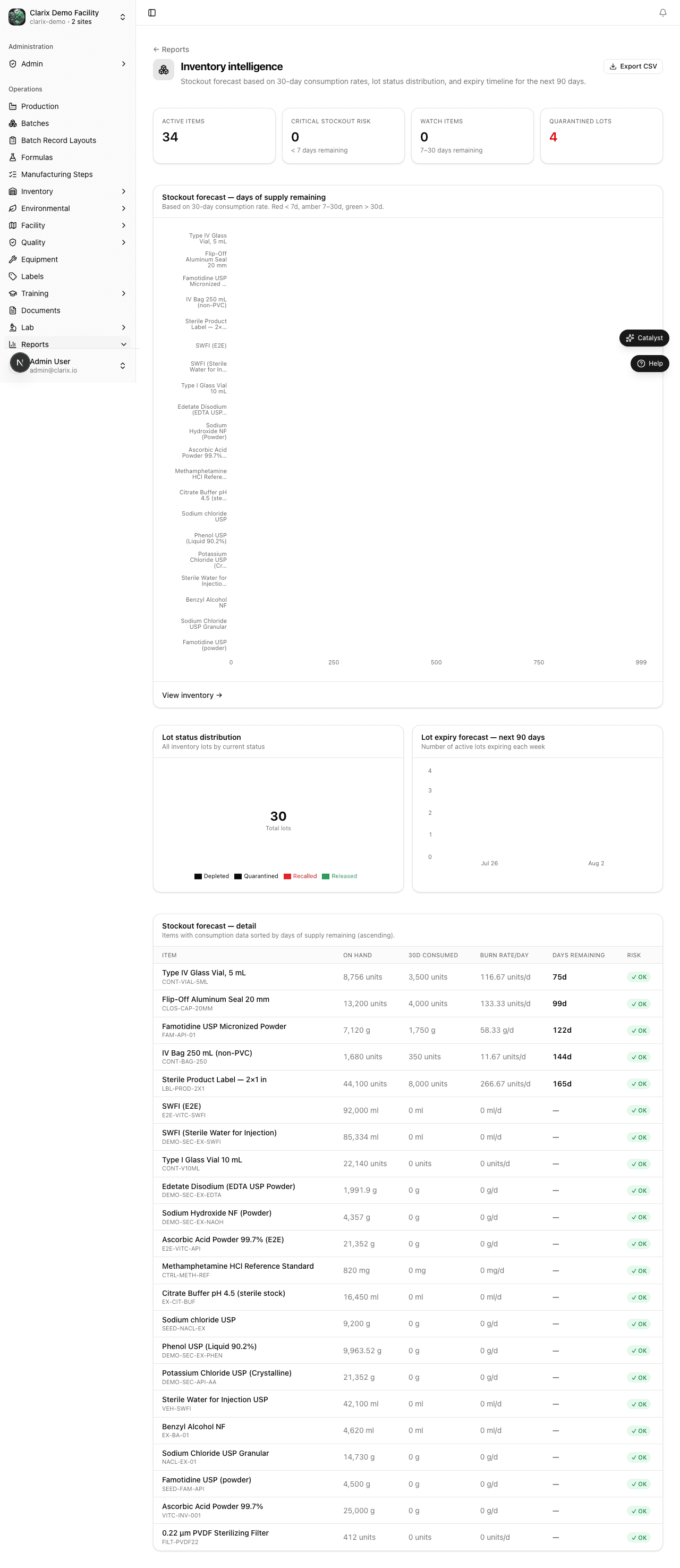
The Inventory Intelligence report at /reports/inventory-intelligence turns your lot receiving and batch issuance data into actionable procurement insights — helping you avoid stockouts, reduce carrying costs, and make data-driven vendor decisions.
Why inventory analytics matter
For a 503B facility, running out of a raw material can halt production entirely. Overstocking expensive APIs ties up capital and increases expiry risk. This report gives you the data to strike the right balance — and to hold vendors accountable for quality and delivery performance.
Report sections
Consumption trends
A bar or line chart showing how much of each raw material your facility has consumed over time (by month or quarter). Metrics:
- Total quantity consumed per material
- Consumption rate trend (increasing, stable, decreasing)
- Average consumption per batch
Use this to: right-size your reorder quantities, plan procurement for new product launches, and identify which materials have seasonal demand spikes.
Cost trends
Tracks the total cost of raw materials received over time (requires cost data entered at receiving). Useful for:
- Quarterly and annual COGS analysis
- Identifying cost inflation from specific vendors
- Budgeting for upcoming production plans
Days on hand
For each material, calculates approximately how many days of production the current inventory supports (based on recent consumption rate). Materials shown in:
- Green — more than 30 days on hand
- Amber — 15–30 days on hand (consider reordering)
- Red — less than 15 days (reorder urgently)
Vendor performance scorecard
Rates each vendor on:
- On-time delivery rate — % of POs received on or before the promised date
- Quality acceptance rate — % of received lots that passed QA (were Released vs Rejected)
- Lot rejection rate — % of received lots rejected or placed on recall
Use this scorecard to: make vendor qualification decisions, add backup vendors for critical materials, and negotiate SLAs with underperforming suppliers.
Filters
| Filter | Options |
|---|---|
| Date range | Custom start/end date |
| Material / item | Filter to specific raw materials |
| Vendor | Filter to a specific supplier |
| Category | API, excipient, diluent, packaging |
Export
Use Export CSV to download all filtered data for external analysis in Excel or your ERP system.