
EBR Document Templates
Create and manage branded PDF templates for Electronic Batch Records using the visual Puck editor — with custom headers, footers, cover pages, and merge fields.
EBR Document Templates
The EBR Document Templates settings page lets you build branded PDF layouts for Electronic Batch Records. Templates are created in a visual drag-and-drop editor and, once approved, are used when generating Custom EBR PDFs from any batch detail page.
Path: Settings → EBR Document Templates (
/settings/ebr-templates)
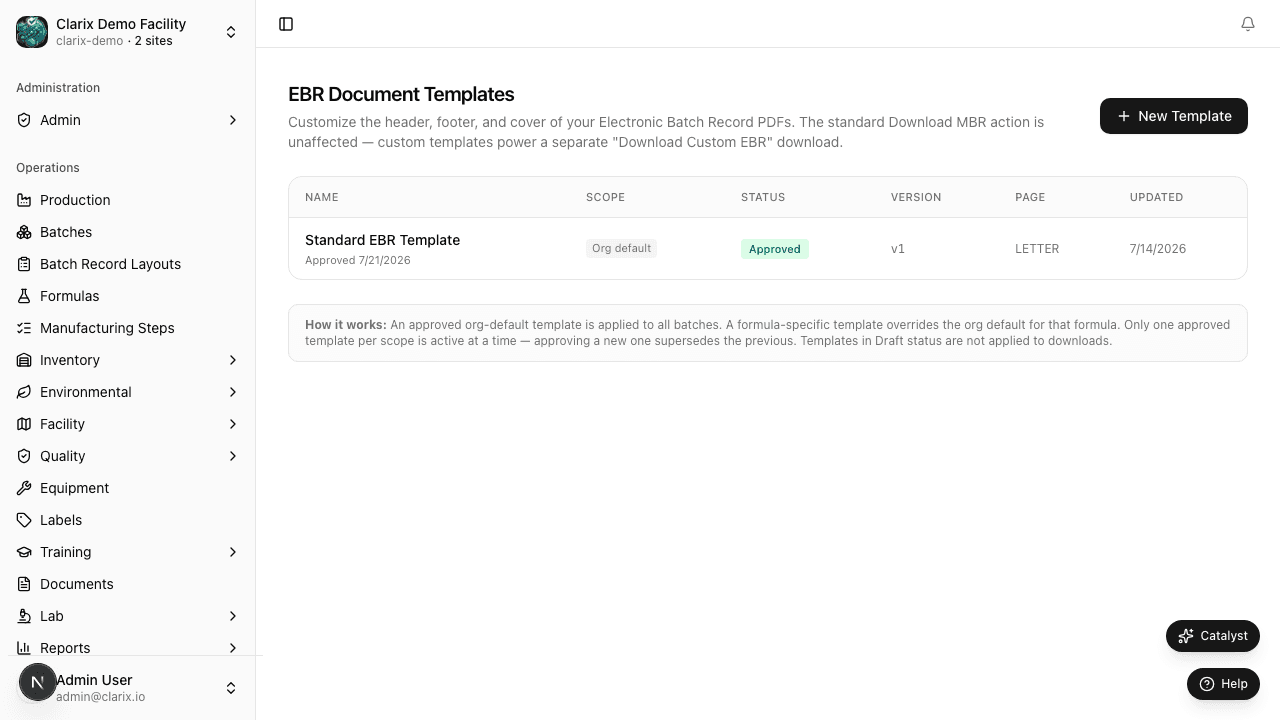
For full documentation on the template editor, block types, merge fields, section toggles, and the approval workflow, see the EBR Templates guide in the Batches section.
Quick reference
| Task | Where |
|---|---|
| Create a new template | Settings → EBR Document Templates → New Template |
| Edit a draft template | Open the template → edit in visual editor → Save draft |
| Approve a template | Open the draft template → Approve |
| Generate a Custom EBR PDF | Batch detail page → Download Custom EBR |
| Delete a draft template | Open the draft template → Delete |
Who can manage EBR templates?
Role required: Administrator or QA Manager to create and approve templates. Any user with batch read access can download a Custom EBR PDF.
Related pages
- EBR Templates (full guide) — Editor, blocks, merge fields, and compliance notes
- MBR and Exports — Standard MBR PDF vs. Custom EBR PDF
- Settings Overview — All settings areas