
Protocol Validation
Manage IQ/OQ/PQ validation protocols and method validation execution records for equipment and processes.
Protocol Validation
The Protocol Validation module at /quality/protocol-validation manages formal validation protocols — the documented testing programs that prove equipment and processes perform as intended before they are used in production.
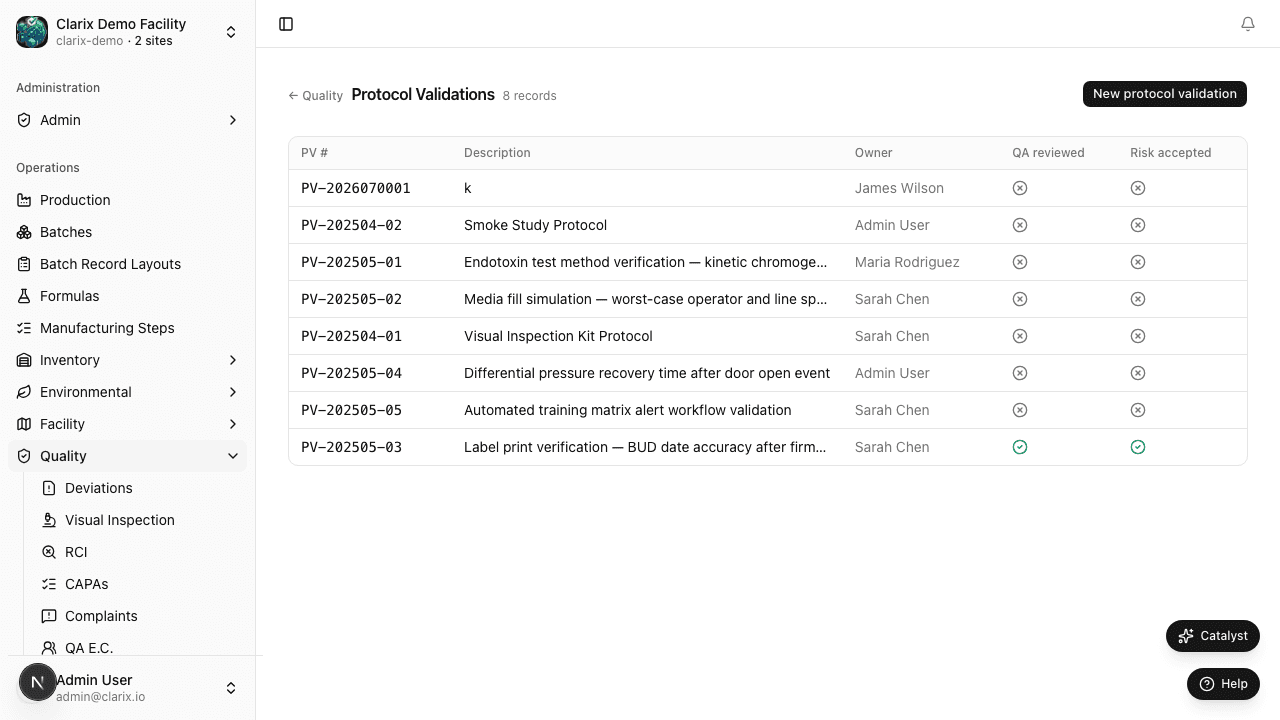
What is a validation protocol?
A validation protocol is a written plan that defines how a specific validation will be conducted, what tests will be performed, and what the acceptance criteria are. Once executed and approved, the protocol becomes the validation report — the evidence that the equipment or process is fit for its intended use.
Common protocol types in 503B sterile compounding:
| Type | Description |
|---|---|
| IQ — Installation Qualification | Verifies that equipment is installed correctly per manufacturer specifications |
| OQ — Operational Qualification | Verifies that equipment operates within specified ranges across its operating range |
| PQ — Performance Qualification | Verifies that the process consistently produces a product meeting its specifications |
| Method Validation | Validates an analytical test method (e.g., HPLC potency assay) |
| Cleaning Validation | Proves that your cleaning procedure removes residues below acceptance limits |
| EM Qualification | Validates your environmental monitoring program and sampling locations |
Creating a new protocol
- Go to Quality → Protocol Validation and click New Protocol.
- Select the protocol type (IQ/OQ/PQ/Method/Cleaning/EM).
- Enter the scope: which equipment, process, or method is being validated.
- Define acceptance criteria: the pass/fail thresholds for each test.
- Add test steps: the specific tests to perform during execution.
- Assign approvers: who must approve the protocol before execution begins.
- Optionally upload the Validation Document (executed protocol or report) — click Choose file to attach a PDF, XLSX, or image directly. The file is stored in secure blob storage with a SHA-256 checksum.
- Save as Draft. Submit for review when complete.
Protocol numbers are auto-generated (e.g., PROT-2026-0001).
Protocol lifecycle
- Draft — Protocol is being authored
- Approved — Approvers have signed; execution may begin
- In Execution — Tests are being performed against the protocol
- Complete — All tests recorded; awaiting final review
- Approved Report — Validation report signed; equipment/process is qualified
Role required: Quality staff can create protocols. Approval requires QA Manager or Pharmacist-in-Charge signature.
Executing a protocol
- Open an Approved protocol.
- For each test step, record the actual result.
- Compare result against the acceptance criterion — mark Pass or Fail.
- Any failure must be investigated before the protocol can be closed.
- Once all steps are complete, submit for final sign-off.
- The signed report is locked and included in the 483 Readiness summary.
Link to Change Control
When a Major change request is approved (see Change Control), a validation protocol is typically required. Create the protocol and link it to the change control record so reviewers can see the validation evidence directly.
Related pages
Risk Assessments
How to create, score, and approve Risk Assessment records in Clarix — documenting hazard identification, likelihood and severity scoring, and mitigation actions for processes and products.
QA Executive Committee
The QA Executive Committee (QA EC) hub — linking quality events, recording committee decisions, and driving quality governance cycles.